
Download SortCopy
Free clipboard manager for Windows. No account needed.
SortCopy_1.0.0_x64_en-US.msi · Windows Installer · ~8 MB
Free download. Pro features require a license key.
All versions
Looking for an older version or want to see the full changelog?
View all updates & versionsWindows SmartScreen Warning
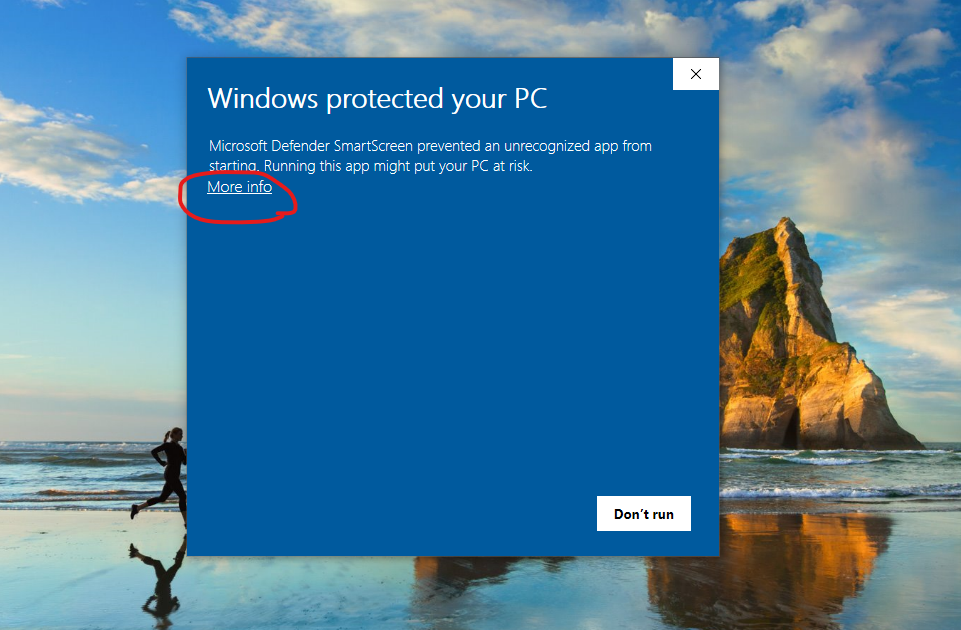
SortCopy is not yet code-signed, so Windows will show a security warning during install. This is standard for new independent software and does not mean the app is unsafe.
Click “More info” on the SmartScreen popup
Click “Run anyway” to start the installation
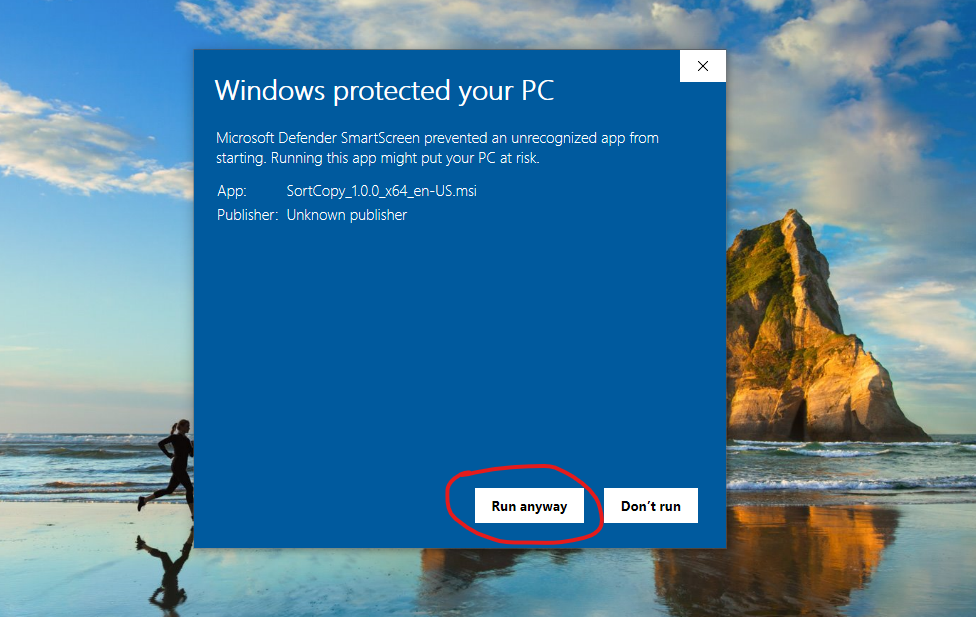
SortCopy installs and runs normally after this
What you get for free
100 clipboard items
Auto-saved history
Smart categorization
Links, code, emails, colors
Search & filter
Find anything instantly
Daily copy tracking
See your daily stats
Pin & favorites
Keep important clips handy
Image support
Capture screenshots too
Want OCR, QR codes, unlimited history, and more?
Upgrade to Pro — $19 LifetimeAlready purchased Pro?
After installing SortCopy, activate your Pro license:
- 1.Open SortCopy (Ctrl+Shift+C or click the system tray icon)
- 2.Go to Settings (gear icon in the toolbar)
- 3.Scroll to License section → click “I have a license key”
- 4.Paste your license key (from your purchase email) → click Activate
Can't find your key? Check your email from Lemon Squeezy, or visit your Lemon Squeezy orders.
Questions
Your privacy is guaranteed
SortCopy is 100% local. Your clipboard data never leaves your computer. No accounts, no cloud sync, no telemetry. Everything stays on your machine.